




OC Maker Avatar Maker is a creative game and tool that allows players to design original characters with detailed customization options. Whether you want to create an avatar for storytelling roleplay social media or pure creativity the game gives you freedom to shape appearance personality and style. Many new users open the app excited but quickly feel lost because there are so many options and no clear direction.
This how to article is written to guide you through OC Maker Avatar Maker step by step. The content follows a natural creative timeline from forming an idea to polishing a finished character. Each main section focuses on a different stage of the creation process and explains how to use tools effectively make artistic choices and avoid common mistakes. By the end you will know how to create unique expressive characters with confidence.
How to Understand the Purpose of OC Maker Avatar Maker
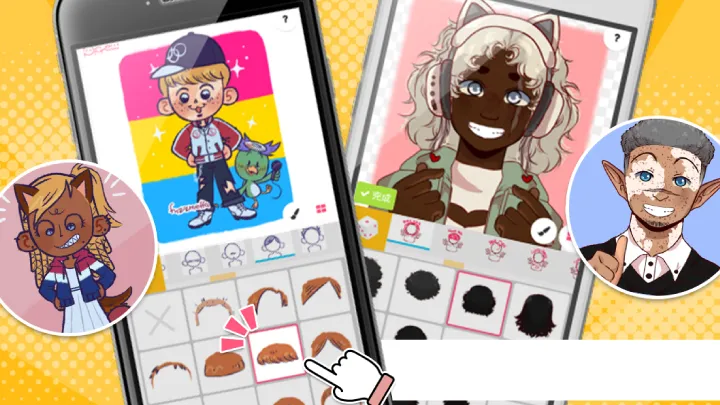
OC Maker Avatar Maker is not just about assembling random features. Its main purpose is to help users visually express original characters also known as OCs with personality emotion and identity. Understanding this goal changes how you approach the tools.
Instead of clicking randomly think of the character as a person with a story. Even a simple concept such as a cheerful student or mysterious traveler gives direction to your design choices.
The game rewards intentional creation. When features colors and outfits match a clear concept the final avatar feels cohesive and memorable.
How to Plan Your Character Before You Start
Before touching sliders or selecting hairstyles it helps to plan. You do not need a full backstory but a basic idea saves time and frustration.
Think about your characters age mood style and role. Are they modern fantasy cute dark elegant or playful. These answers guide every decision later.
Planning does not limit creativity. Instead it gives structure allowing you to explore variations without losing focus.
How to Choose Face Shape and Skin Tone Correctly
The face is the foundation of your character. Choosing the right face shape and skin tone sets the mood instantly.
Start with a neutral base rather than extreme features. This makes later adjustments easier. Small changes often have a big impact on expression.
Experiment carefully with tone shading and contrast. Balanced colors look more natural and allow accessories and hair to stand out.
How to Design Expressive Eyes and Facial Features
Eyes are the most expressive part of any avatar. OC Maker offers many styles sizes and colors that can completely change personality.
Match eye shape and color to your characters emotion. Soft rounded eyes often feel friendly while sharp angles suggest confidence or mystery.
Adjust eyebrows mouth and nose together. Facial harmony matters more than individual features. Small tweaks create subtle but powerful expressions.
How to Pick Hairstyles That Match Personality
Hair plays a major role in defining silhouette and style. Choosing the right hairstyle helps communicate who your character is instantly.
Consider practicality and theme. A warrior might have tied hair while a relaxed character may have loose styles.
Color choice matters as much as style. Natural colors feel grounded while bright tones create fantasy or anime inspired looks.
How to Use Clothing and Accessories Effectively
Outfits tell a story. OC Maker provides a wide range of clothing styles that can express culture mood and setting.
Avoid overloading accessories. Too many items can distract from the main design. Choose pieces that support your concept.
Layering clothes thoughtfully adds depth. Combine tops bottoms and accessories that share color harmony and theme.
How to Apply Color Theory for Better Results
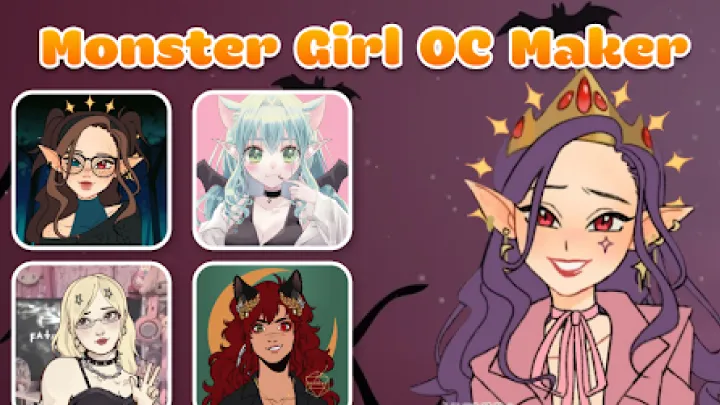
Color choices separate beginner avatars from polished designs. Understanding basic color harmony improves quality instantly.
Limit your palette. Using two to three main colors keeps the design clean. Accent colors add interest without chaos.
Contrast helps important features stand out. Use lighter or brighter tones to draw attention to the face.
How to Refine Details and Add Personality
Once the main design is complete refinement begins. This stage transforms a good avatar into a great one.
Adjust small details like blush shadows and highlights. These elements add warmth and realism.
Think about unique traits such as scars glasses or signature accessories. These details make your character recognizable and memorable.
How to Save Export and Reuse Characters
Saving your work properly ensures you can reuse or modify characters later. OC Maker allows exporting and revisiting designs.
Create variations of the same character with different outfits or expressions. This builds a consistent OC universe.
Organize saved characters by theme or project to avoid confusion as your collection grows.
How to Improve Over Time and Stay Inspired
Skill improves with practice. Each new avatar teaches something about balance proportion or color.
Study other creators for inspiration not imitation. Analyze what works and apply lessons to your own style.
Stay creative by experimenting occasionally without rules. Playfulness keeps the process enjoyable and prevents burnout.
Conclusion
OC Maker Avatar Maker is a powerful creative tool that rewards thoughtful design and imagination. By planning your character understanding facial balance choosing harmonious colors and refining details you can create expressive original avatars that stand out. This how to guide shows that great characters are built step by step not rushed. With patience practice and creativity anyone can turn simple ideas into visually compelling OCs.
Summary
Complete how to guide for OC Maker Avatar Maker explaining character planning face design colors outfits refinement saving and long term creativity for unique original avatars